
508-909-5961 [email protected]

What harm could possibly come from printing a document? According to some researchers who performed a large-scale analysis of printer attacks, a lot. These could be in the form of Distributed Denial-of-Service (DDoS) attacks, which are as devious as they sound, or attacks made through extracted print jobs. Today, we unveil the mechanics of this […]
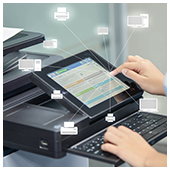
2017February23_Hardware_BWhat harm could possibly come from printing a document? According to some researchers who performed a large-scale analysis of printer attacks, a lot. These could be in the form of Distributed Denial-of-Service (DDoS) attacks, which are as devious as they sound, or attacks made through extracted print jobs. Today, we unveil the mechanics of this new cyber threat.

Which printers are prone?

Based on the study made by Ruhr University Bochum researchers, printer brands such as Hewlett Packard (HP), Brother, Dell, Samsung, and several others are prone to different types of cyber attacks. Online printers from these brands could serve as cyber criminals’ path in which to steal credentials, corrupt a printer, or leak sensitive data from printed documents obtained through a printer’s memory.

Printers serve the basic purpose of turning computer documents into paper and have never been a typical entry-point of hackers’ attacks. Government and corporate offices, business establishments, non-profit organizations, and homes own one, and when you think about the fact that most printers are linked to computer owners’ internal networks, this expansion of cyber theft to printers begin to make even more sense.

How can attacks be made?

Researchers identified security vulnerabilities that would enable hackers to corrupt common printer languages such as PostScript and PJL, which they could then use to launch Distributed Denial-of-Service attacks or reset the corrupted printer to its factory defaults, also termed as ‘protection bypass.’ Other ways in which hackers could exploit their access are through print job manipulations, which could lead to minor cases of printing corruptions or persistent printing distortions, and information disclosure, the leaking of sensitive information.

What safety measures are being developed?

The researchers who discovered the vulnerabilities developed the PRinter Exploitation Toolkit (PRET), a program designed to determine if a printing device is a likely target. This toolkit ‘connects to a device via network or USB and exploits the features of a given printer language, and is complemented by a wiki page that documents attacks made. It’s worth noting that more printer models and brands haven’t been tested due to the team’s lack of resources. But with this open-source toolkit, vulnerabilities of many brands and models may soon be identified.

Stealing information online is far from being a novelty in cyber security. But to do so through printers requires a special set of skills. It’s too soon to tell whether this form of cyber thievery is going to pose serious threats in the future, but regardless of how further studies progress, failing to implement security protocols for your network can cost you dearly. Get ready for any security threat by contacting our security experts now.


Published with permission from TechAdvisory.org. Source.

Read More

Vulnerabilities in popular printers

What harm could possibly come from printing a document? According to some researchers who performed a large-scale analysis of printer attacks, a lot. These could be in the form of Distributed Denial-of-Service (DDoS) attacks, which are as devious as they sound, or attacks made through extracted print jobs.

The post Vulnerabilities in popular printers appeared first on Complete Technology Resources, Inc..

Vulnerabilities in popular printers

What harm could possibly come from printing a document? According to some researchers who performed a large-scale analysis of printer attacks, a lot. These could be in the form of Distributed Denial-of-Service (DDoS) attacks, which are as devious as they sound, or attacks made through extracted print jobs. Today, we unveil the mechanics of this new cyber threat.

Which printers are prone?

Based on the study made by Ruhr University Bochum researchers, printer brands such as Hewlett Packard (HP), Brother, Dell, Samsung, and several others are prone to different types of cyber attacks. Online printers from these brands could serve as cyber criminals’ path in which to steal credentials, corrupt a printer, or leak sensitive data from printed documents obtained through a printer’s memory.

Printers serve the basic purpose of turning computer documents into paper and have never been a typical entry-point of hackers’ attacks. Government and corporate offices, business establishments, non-profit organizations, and homes own one, and when you think about the fact that most printers are linked to computer owners’ internal networks, this expansion of cyber theft to printers begin to make even more sense.

How can attacks be made?

Researchers identified security vulnerabilities that would enable hackers to corrupt common printer languages such as PostScript and PJL, which they could then use to launch Distributed Denial-of-Service attacks or reset the corrupted printer to its factory defaults, also termed as ‘protection bypass.’ Other ways in which hackers could exploit their access are through print job manipulations, which could lead to minor cases of printing corruptions or persistent printing distortions, and information disclosure, the leaking of sensitive information.

What safety measures are being developed?

The researchers who discovered the vulnerabilities developed the PRinter Exploitation Toolkit (PRET), a program designed to determine if a printing device is a likely target. This toolkit ‘connects to a device via network or USB and exploits the features of a given printer language, and is complemented by a wiki page that documents attacks made. It’s worth noting that more printer models and brands haven’t been tested due to the team’s lack of resources. But with this open-source toolkit, vulnerabilities of many brands and models may soon be identified.

Stealing information online is far from being a novelty in cyber security. But to do so through printers requires a special set of skills. It’s too soon to tell whether this form of cyber thievery is going to pose serious threats in the future, but regardless of how further studies progress, failing to implement security protocols for your network can cost you dearly. Get ready for any security threat by contacting our security experts now.

Published with permission from TechAdvisory.org. Source.

The post Vulnerabilities in popular printers appeared first on Complete Technology Resources, Inc..

Read More

Back in May 2016, Google gave us a sneak preview of Android Instant Apps, a feature that loads a web-based version of an app instead of installing it. Today, the feature is available for limited testing on Google Pixel and certain Android devices. If you want to try out Instant Apps, follow the steps below. […]

2017February22_Android_BBack in May 2016, Google gave us a sneak preview of Android Instant Apps, a feature that loads a web-based version of an app instead of installing it. Today, the feature is available for limited testing on Google Pixel and certain Android devices. If you want to try out Instant Apps, follow the steps below.

Activating Instant Apps To enable Instant Apps, go to your phone’s Settings menu, find Google under the Personal category, then select Instant Apps under Services and toggle it on.

Since this feature has limited availability some Android users might not have this option. Reports indicate that Google Pixels running Android 7.1.2 and Nexus 6P devices with Android 7.1.1 installed are able to access Instant Apps.

However, don’t worry if you don’t have any of these phones. Google usually rolls out new updates in waves, so make sure to update your Android OS as often as possible and check for the Instant Apps feature every week.

How to use it If you manage to activate Instant Apps, simply go to Chrome, search for an application -- so far, Wish, Periscope, Viki, and Buzzfeed are the only Instant Apps available for testing -- look for a search result that includes the word Instant, then click on Open App.

Once you’ve loaded up the app, you can use it like you would any other local app. For example, you can open up the Wish Instant App to access your online shopping account, browse through product catalogs, and even make a purchase right from your phone’s web browser.

But if you want a local version of the application, pull down the Instant Apps Menu and tap on Install.

What’s the reason for the new feature? The lack of quick and easy access to applications dramatically slows down app adoption rates. Sometimes users just want to access an app quickly, get what they need, and move on.

Another case for Instant Apps is when users are dealing with a crowded WiFi or 4G/LTE connection. In these situations, downloading full applications would take too long, whereas Instant Apps give you access to only what you need without using too much bandwidth.

And although the Instant Apps feature is still in its testing phase, it does present eCommerce and online services companies with new possibilities to market their applications and their business.

The only downside is, users have to be patient for just a bit longer to get their hands on Instant Apps. Fortunately, we’re always on top of the latest Android and Google developments. Contact us today, and we’ll make sure you get Instant Apps the moment it rolls out to all users.

Published with permission from TechAdvisory.org. Source.

Read More

An early look at Android Instant Apps

Back in May 2016, Google gave us a sneak preview of Android Instant Apps, a feature that loads a web-based version of an app instead of installing it. Today, the feature is available for limited testing on Google Pixel and certain Android devices. If you want to try out Instant Apps, follow the steps below.

The post An early look at Android Instant Apps appeared first on Complete Technology Resources, Inc..

An early look at Android Instant Apps

Back in May 2016, Google gave us a sneak preview of Android Instant Apps, a feature that loads a web-based version of an app instead of installing it. Today, the feature is available for limited testing on Google Pixel and certain Android devices. If you want to try out Instant Apps, follow the steps below.

Activating Instant Apps
To enable Instant Apps, go to your phone’s Settings menu, find Google under the Personal category, then select Instant Apps under Services and toggle it on.

Since this feature has limited availability some Android users might not have this option. Reports indicate that Google Pixels running Android 7.1.2 and Nexus 6P devices with Android 7.1.1 installed are able to access Instant Apps.

However, don’t worry if you don’t have any of these phones. Google usually rolls out new updates in waves, so make sure to update your Android OS as often as possible and check for the Instant Apps feature every week.

How to use it
If you manage to activate Instant Apps, simply go to Chrome, search for an application -- so far, Wish, Periscope, Viki, and Buzzfeed are the only Instant Apps available for testing -- look for a search result that includes the word Instant, then click on Open App.

Once you’ve loaded up the app, you can use it like you would any other local app. For example, you can open up the Wish Instant App to access your online shopping account, browse through product catalogs, and even make a purchase right from your phone’s web browser.

But if you want a local version of the application, pull down the Instant Apps Menu and tap on Install.

What’s the reason for the new feature?
The lack of quick and easy access to applications dramatically slows down app adoption rates. Sometimes users just want to access an app quickly, get what they need, and move on.

Another case for Instant Apps is when users are dealing with a crowded WiFi or 4G/LTE connection. In these situations, downloading full applications would take too long, whereas Instant Apps give you access to only what you need without using too much bandwidth.

And although the Instant Apps feature is still in its testing phase, it does present eCommerce and online services companies with new possibilities to market their applications and their business.

The only downside is, users have to be patient for just a bit longer to get their hands on Instant Apps. Fortunately, we’re always on top of the latest Android and Google developments. Contact us today, and we’ll make sure you get Instant Apps the moment it rolls out to all users.

Published with permission from TechAdvisory.org. Source.

The post An early look at Android Instant Apps appeared first on Complete Technology Resources, Inc..

Read More