
508-909-5961 [email protected]

In the past, when small- and medium-sized business owners needed to connect computers located in separate workspaces, virtualization was one of the best options. However, the field of virtualization has evolved to accommodate the increasing popularity of virtual containers. These safer, more portable, solutions are equally accessible to both businesses that already utilize virtualization technology […]

2016october26_virtualization_bIn the past, when small- and medium-sized business owners needed to connect computers located in separate workspaces, virtualization was one of the best options. However, the field of virtualization has evolved to accommodate the increasing popularity of virtual containers. These safer, more portable, solutions are equally accessible to both businesses that already utilize virtualization technology and those looking to start fresh in the field of virtual computers. Regardless of which of those you are, let’s take a closer look at how containers work.

Why are containers so popular?

Before the introduction of containers, virtual workstations and servers allowed users to access computing power and software delivered across a local network or the internet. This technology took cloud computing and web hosting a step further than did just software on a website, and it created entire desktop experiences over the internet. However, it is a tad inefficient since running one small application still requires an entire hosted desktop.

Containers guarantee developers that their software will run smoothly, regardless of what type of computer their end user is running.

How containers improve on virtual desktops

Containers operate quite differently because they only package applications and their minimal requirements into a deliverable package. This makes it possible to deliver several containers to several different users with a significantly smaller footprint on the machine hosting the service.

There are a handful of pieces of software that create and deliver containers, and the most popular is Docker. Before the release of Docker, containers had existed for some time, but they were complicated and difficult to manage. With the rise of popularity in virtualization services, software vendors gained significant resources to make friendlier and simpler container solutions.

Although containers have made big improvements in enterprise computing, virtual machines still have a role to play in select circumstances. In both solutions, older equipment can be reappropriated to utilize much bulkier software hosted in the cloud. All you need is an internet connection, and an experienced IT professional to help you set it up. If you’re interested in either virtualization or accessing your applications in a container environment, please contact us today.
Published with permission from TechAdvisory.org. Source.

Read More

When it comes to protecting yourself and your business online, the type of authentication you use for logins, whether for business or for personal use, is vitally important. While many people understand that secure logins are crucial, the differences between the various security measures may be lost on many people. Before you give up on […]

2016october25_security_bWhen it comes to protecting yourself and your business online, the type of authentication you use for logins, whether for business or for personal use, is vitally important. While many people understand that secure logins are crucial, the differences between the various security measures may be lost on many people. Before you give up on understanding the variances between two-factor and two-step authentication, read this article to learn more so you have a fuller understanding of your cyber security.
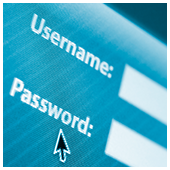
If you are seeking out a way to improve your business's cyber security, both for your business itself as well as for your customers, you are likely looking at your authentication process. Two-step and two-factor authentication are two of the most commonly used options in cyber security. And in current cyber security, many businesses use the terms two-step and two-factor authentication interchangeably.

There are, however, subtle differences between the two. A two-step authentication process requires a single-factor login (such as a memorized password or biometric reading) as well as another of the same type of login that is essentially sent to the user. For example, you may have a memorized password for your first step and then receive a one-time-use code on your cell phone as the second step.

Two-step authentication does function to add an extra step in the authentication process, making it more secure than a single-step authentication (i.e. just the password). However, if a person or business is hacked, it will do only a little to stop hackers from getting a hold of whatever they are looking for.

On the other hand, there is two-factor authentication (sometimes referred to as multi-factor authentication), which is significantly more secure. This type of authentication requires two different types of information to authenticate. For example, it could be a combination of a fingerprint or retinal scan as well as a password or passcode. Because the types of information are different, it would require a hacker a great deal more effort to obtain both forms of authentication.

In essence, every two-factor authentication is a two-step authentication process, but the opposite is not true. With this information in mind, you can be certain that you are using the right type of authentication in your business to keep your business and customer information as secure as possible.

Your network needs the best security technology has to offer. What type of authentication that results in is just one of hundreds of choices that must be made to achieve that end. To take the stress out of securing and protecting your network, call us today for all the help you could ever ask for.

Published with permission from TechAdvisory.org. Source.

Read More

Cyber-crimes based on denial of services (DoS) attacks are nothing new. But of the businesses facing the threat of a DoS to their Voice over Internet Protocol (VoIP) system, most have no idea how to prevent this type of attack, or even why it’s being launched against them. If you’re one of those businesses, we […]

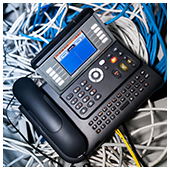
2016october24_voip_bCyber-crimes based on denial of services (DoS) attacks are nothing new. But of the businesses facing the threat of a DoS to their Voice over Internet Protocol (VoIP) system, most have no idea how to prevent this type of attack, or even why it’s being launched against them. If you’re one of those businesses, we have everything you need to know right here.

Denial of service attacks

The end goal of any DoS attack is to overwhelm a system with so many requests that the system is eventually forced to shut down. Telephony DoS (TDoS) attacks are a subcategory wherein these types of attacks are leveled at VoIP systems. Sadly, this security bulletin has jumped to the front of security concerns as a result of its use against hospitals and 9-1-1 phone lines.

In another depressing development, some TDoS attackers demand a ransom to halt the attack. Much like ransomware, with the help of cryptocurrencies and caller-ID spoofing, it’s incredibly difficult to identify attackers.

TDoS attacks generally employ fewer resources than the DoS attacks that are designed to cripple IT systems such as networks, servers, and software. At its most basic, all that a TDoS attack requires is an automated phone dialer that calls a target phone number and hangs up -- over and over. That very simple concept can stop anyone else from getting through the line.

What organizations need to do

Counterintuitive as it might sound, locking down your VoIP system with complicated and unnecessary security measures will ultimately do more harm than good. Most businesses can’t operate if they can’t communicate with their customers.

Although VoIP may be a digital resource similar to your other IT systems, the very nature of phone lines makes it impossible to hide them behind firewalls and other protections. However, there are new solutions that offer protection to VoIP systems. The new security protocols can protect your communication infrastructure against those who try to use force to gain access to your directory information. These protocols can also identify, reroute, and filter calls coming from known attackers.

If you’re experiencing any abnormalities with your VoIP system, or if you want to deploy the most up to date solution that the market has to offer, we have just the company in mind. With years of experience in the field, our expert staff is ready to help you at the drop of a hat -- just call today.

Published with permission from TechAdvisory.org. Source.

Read More

Pixel phones, Chromecast, Google Home...Google has developed some exciting hardware for us to play with. But perhaps the most welcome addition to their portfolio is the recently announced Google WiFi system. Most endpoints connect to the internet via a centralized router that is unable to send a strong signal to every room, leading to slow […]

2016october21_hardware_bPixel phones, Chromecast, Google Home...Google has developed some exciting hardware for us to play with. But perhaps the most welcome addition to their portfolio is the recently announced Google WiFi system. Most endpoints connect to the internet via a centralized router that is unable to send a strong signal to every room, leading to slow internet and dead zones. However, Google WiFi is created to enhance and simplify the wireless experience.

WiFi everywhere Google WiFi is able to offer fast WiFi across your home or business. Today, people install WiFi expecting it to simultaneously support multiple devices that might even be engaged in high-bandwidth activities such as VoIP and live streaming. The problem, however, is that the WiFi signal is often affected by the thickness of internal walls and the distance from the router. Google alleviates this problem by developing a WiFi system that’s expandable.

You can add Google WiFi points in different areas of your office to spread a strong network signal throughout your entire company. Google uses WiFi mesh technology, where every Google WiFi point builds a high-powered signal where all points combined offer the ideal path for data. As a result, high-speed WiFi is built across the house as all points connect to each other to broadcast a strong, high-speed connection. This means your company can say goodbye to slow downloads, poor call quality, and service interruptions.

Automatically optimize your connection Google WiFi can also keep operating at high speeds. It employs Network Assist Technology, a feature that automatically optimizes your wireless connection, keeping it fast without any fussing or manual adjustments on your end. Just imagine taking your office laptop or your iPad from your desk to the meeting room, without experiencing internet connection problems. Google’s Network Assist feature allows your devices to seamlessly transition between Google WiFi points in real time, meaning no delays or dead spots.

Manage your network with an app Google WiFi also comes with a companion app for when you want to manage your network. Available on iOS or Android, the WiFi manager app allows you to reduce bandwidth usage for a particular website, or pause the WiFi connection on certain devices when they’re not in use. You can also prioritize bandwidth for specific devices connected to your network so that you can conduct important VoIP conference calls without any interruptions.

Of course, when it comes to WiFi, security and privacy are top priority. With that in mind, the Google WiFi manager app comes with enhanced security and privacy settings that enable easy management of cloud content, user access control, wireless encryption systems, and automatic updates to keep your business safe at all times.

There’s no telling how well Google WiFi will perform in the market, but if your company values advanced security systems, fast internet speeds, and an easy-to-manage network, then Google WiFi is definitely hardware you should have.

Want to stay on top of the latest hardware trends and developments? Simply give us a call today to find out more.

Published with permission from TechAdvisory.org. Source.

Read More