
508-909-5961 [email protected]

The I/O conference is a chance to learn about everything new and exciting that Google is working on, and some of the new Android features are that, and more. Traditionally, operating system updates can range from barely visible interface tweaks to unavoidable features, and these are no different. Read on to see if any of […]
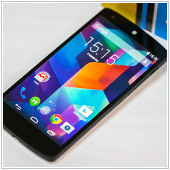
2016June6_AndroidPhone_BThe I/O conference is a chance to learn about everything new and exciting that Google is working on, and some of the new Android features are that, and more. Traditionally, operating system updates can range from barely visible interface tweaks to unavoidable features, and these are no different. Read on to see if any of the announcements are items you can’t wait to use.

Split Screen

The most visible and exciting feature is Android’s new ‘split-screen’ functionality. Soon you will be able to enter your ‘overview’ mode (the button that shows all of your open apps in a rolodex style queue), click and hold on an app like YouTube and drag it to the top of your screen where it will dock. The bottom half of your screen will remain in ‘overview’ mode, allowing you to select an app to occupy the bottom half of the screen. With this update, sending an email while YouTube is open won’t cause any interruption in either of the two programs. It’s the same as having two monitors, just on a much smaller scale.

Because phone manufacturers get to layer their own components on top of Google’s core Android operating system, Samsung and LG already have a few ‘split-screen’ devices. However, by integrating this item into every Android phone regardless of manufacturer, app developers will have more incentive to optimize their product for this feature or even develop new apps designed entirely around this functionality.

Fast App Switching

Do you ever find yourself switching back and forth between two apps? Maybe you need to write an email on your phone, while using a web page as reference material. Switching between the two can really slow down the flow of your work, and Google has finally addressed this by improving the ‘overview’ interface. In addition to limiting the number of displayed programs and adding a ‘clear all’ button, Android mobile devices will get ‘fast app switching’. With this feature a simple double tap of your ‘overview’ button will switch to the last program you used. After switching to the previous app, you can double tap again to return to the original app. It’s simple, but goes a long way.

Updated Notification Window

Next up is a small change to the native notification window. At the moment, if one app has multiple notifications they all get grouped into one vague ‘card’ in your notification window. I/O announced that in the future users will be able to tap on one of those cards to expand it for more detail. Instead of just seeing that you have six emails from various users, you’ll be able to see more information and access response actions for each individual notification within apps.

Instant Apps

How many times have you installed an app that you didn’t want, but needed for a one-time use? Whether it’s to purchase tickets, gain access to a promotion or receive something from a friend who uses the app, it can be a lengthy and tedious process. With ‘Instant Apps’ Android will give you the option to temporarily load software, similar to a webpage, so you can access the service without actually downloading the unnecessary app. Google promises this will take mere seconds compared to the time it currently takes to download and install full programs before using them.

Some tech writers have cited ‘Instant Apps’ as actually faster than loading a website, with all of the security and safety of an app. Additionally, while the 3 features before this one will be released for phones with the most recent OS update, Google is making ‘Instant Apps’ available to developers for any phone running anything newer than the Jellybean OS.

In general, Android phones offer a lot more customization and developer-specific options when compared to Apple’s mobile devices. However, that can mean a lot more upkeep as well. If you’re having trouble maintaining your Android device’s peak capacity or need help managing their updates, don’t hesitate to call us.

Published with permission from TechAdvisory.org. Source.

Read More

The Chromebook has been on the market since 2011. While back then many people scoffed at the idea of buying a laptop made predominantly for internet use, with the rise of cloud computing these days, it now looks like more of a viable option for businesses. So how do you know whether or not a […]

2016June3_Hardware_BThe Chromebook has been on the market since 2011. While back then many people scoffed at the idea of buying a laptop made predominantly for internet use, with the rise of cloud computing these days, it now looks like more of a viable option for businesses. So how do you know whether or not a Google Chromebook is right for your organization? Well, it all depends on your unique needs and circumstances. Let’s have a look.

Buy a Chromebook if you…

Are on a budget: With a range of models available between the prices of $199-$500, Chromebooks are incredibly affordable. That is far cheaper than any Apple laptop and more competitively priced than most PC offerings. So if budget is a concern, then consider a Chromebook.

Want a high-powered laptop: Just because Chromebooks are affordable, doesn’t mean they’re of less quality. In fact many Chromebook features are better or on par with their PC and Apple counterparts. Here are a few notable ones worth mentioning.

  • Long battery life: When it comes to battery life and laptops, Chromebooks are among the best of the best. On average, a Chromebook can supply anywhere from 6-13 hours of battery life.
  • Speed: Chromebooks boot up remarkably fast. Once you press the power button, your Chromebook can be ready to go in 8-20 seconds.
  • Lightweight: While weight varies among the various Chromebooks on offer, most are incredibly lightweight and easy to pack with you when you’re on the go.
  • Security and auto-updates: Not only is malware and virus protection baked into the Chrome OS, but with a Chromebook you’ll never have to worry about updates as they’re all taken care of automatically - silently in the background.
Are mobile and heavily internet reliant - With its long battery life, light weight and internet-friendliness, the Chromebook is perfect for the mobile workforce who need an easy to carry laptop to use primarily for staying connected to their employer’s business while away. Better yet, if your business is integrated with Google Apps for Work, you and your staff can even create documents and access your business’s data with a Chromebook.

Avoid a Chromebook if you...

Rely on desktop applications - As mentioned above, Chromebooks are meant to be used with the internet. Because of this, powerful desktop applications like Photoshop and advanced video editing apps are incompatible on it.

Work mostly without an internet connection - We’ve mentioned it several times already, but it’s worth mentioning again, DO NOT buy a Chromebook if most of your work is done offline. Even if you bought an entry-level Chromebook for $200 and feel like you got a great deal, it will be a useless piece of metal if you need it to complete offline work.

Are a Microsoft junkie - If you are heavily reliant on Microsoft products you may want to look elsewhere for a laptop. Google promotes the use of its own online suite of Office-like applications. And while they are similar to Microsoft products, they do lack some of the features you may love.

For those still on the fence about whether or not a Chromebook is the right choice for their business, it’s also worth noting that just last month Google announced they’ll be adding Android apps to Chromebooks. So if you’re already an Android phone or tablet user, later this year you’ll be able to use those same apps on your Chromebook.

Want to know more about Chromebooks and other laptop options? Our experts are here to help you make an educated purchase. Call us today, and we’ll be happy to share our wealth of information.

Published with permission from TechAdvisory.org. Source.

Read More

“We are living in a digital world, and healthcare practices need a URL”. If Madonna could change the lyrics of her 1984 classic to speak to the healthcare industry, she may have sang something like this. A URL is just one facet of the digital strategy that hospitals and private practices alike will need to […]

2016June2_HealthcareArticles_A“We are living in a digital world, and healthcare practices need a URL”. If Madonna could change the lyrics of her 1984 classic to speak to the healthcare industry, she may have sang something like this. A URL is just one facet of the digital strategy that hospitals and private practices alike will need to adapt if they wish to remain competitive in today’s world. Here are a few other trends worth taking note of.
Online presence

More and more practices are understanding the importance of online presence. These days you need a website, but not just any website: a responsive one is key. In fact, PEW Research noted that in 2014, 72 percent of American internet users got healthcare information online. And that number is only growing. Data from the Children’s National Health System supports this statistic, as almost half of all their site visitors came from mobile devices. What’s more, their responsive design has also led to 15% more page views and 54% more donations. Moral of the story: without a responsive website and informative content, your site visitors are likely to bounce (not to mention Google won’t rank you as high in search engines).

To go along with a responsive website, healthcare practices should also consider adding social media profiles and pages. More and more patients, especially the younger generation, are using these platforms to get medical advice. And they can provide your organization an alternative means to keep in touch with patients, while humanizing your practice.

Remote care

It’s becoming clear that telemedicine is the future of healthcare. It provides patients easier access to medical services and the ability to cut costs. Tools such as The ACT - a device which consists of a cell phone, sensor pendant and patch electrodes - can monitor a patient’s heart remotely and transmit the information to a doctor automatically via Wi-Fi. A tool like this can literally be a lifesaver as it allows a doctor to notice abnormalities immediately, at which point he can get in touch with the patient or send an ambulance. Apple is also catching on to this trend with the Apple Watch, which can also monitor heart rate.

Perhaps a more significant trend in remote care for patients is the ability to have a virtual office visit with their doctor. With advances in telemedicine enabling doctors to look into the throats and ears of patients remotely and virtually listen to their heartbeat, rural patients can save time and money by skipping the trip to the doctor’s physical office which could be dozens or even hundreds of miles away.

HIPAA

A security breach could not only cost your practice its reputation and loads of money in downtime, but it could also cost you up to a million dollars in fines. The government is not joking around about HIPAA Compliance. And with hospitals becoming an ever alluring target for hackers, security breaches are on the rise and will likely continue to be in the future. Staying compliant could literally save your practice from going out of business due to an unexpected breach.

As the digital age continues to evolve, your practice has much to take advantage of by getting onboard with these trends early. If you’re curious to learn more about HIPAA compliance and these other digital technologies, don’t hesitate to get in touch.

Published with permission from TechAdvisory.org. Source.

Read More

Most small and medium sized businesses have a tight marketing budget - especially when it comes to social media. So if you’re looking to get noticed on Facebook, you may be reluctant to spend cash on an ad campaign. Luckily for you, there are several ways you can market your business on Facebook that won’t […]

2016June1_Facebook_BMost small and medium sized businesses have a tight marketing budget - especially when it comes to social media. So if you’re looking to get noticed on Facebook, you may be reluctant to spend cash on an ad campaign. Luckily for you, there are several ways you can market your business on Facebook that won’t cost a dime. Let’s take a look at some of the more popular methods.

Get your friends on board

A business is nothing without its fans...at least on social media. So after setting up your Facebook business page, your first order of duty should be to invite your friends to “Like” your company page. Bear in mind, we use the term “friends” broadly here. Really, you should be telling pretty much everyone you know about your business. This includes family members, colleagues, that random parent you chatted with at your son’s baseball game, and any acquaintances from all walks of life. The goal of this is to create a foundation of followers to build upon as you grow your business.

Create your brand identity

On Facebook, your brand needs to do more than simply sell a product or service, because no one wants to interact with a company they feel is constantly trying to sell them. This is exactly why your brand should have a persona and human characteristic. In other words, you need a brand voice. So ask yourself, how should your brand sound? Should it be funny, easy-going, serious or inspiring? Once you’ve figured it out, ensure this voice is consistent in all your posts as it will help your audience form a relationship with your brand as they get to know it better. While you can and definitely should advertise different products or services your business offers, most of your posts should aim to entertain, inspire, and encourage social interaction. As your followers get to know your brand better, they will develop shared interests with it, which will eventually lead to trust. And when your audience finally trusts you, the sales will start to come in naturally.

Exploit algorithm changes

If you thought Google was the only platform that changed their algorithms, think again! Just like Google, Facebook also uses algorithms to determine the amount of organic reach your updates get. This raises an interesting question...how do you discover what algorithm changes Facebook has on the docket? Well, they occasionally post them on Facebook’s newsroom, so regularly check there to stay updated.

So once you’re aware of an upcoming algorithm change, how can you exploit it? Let’s look at an example. Back in the Fall of 2014 Facebook announced they’d begin to favor link posts with an image attached, over photo posts with the URL in the caption. Users who were aware of this change in advance and implemented it accordingly, were reportedly getting three times as much organic traffic by February 2015. Those who missed the announcement were left scratching their heads wondering what happened to their traffic.

Check your data

Many people believe there’s a best time and day of the week to share a post. While this is true, the actual day and time that’s best may be different from what you expect. While some people are quick to proclaim Tuesday and Thursday mornings are the best time to post, the reality is the best time to post depends on your unique business. Everyone’s audience is different, and results will vary from business to business. So while some SMBs may discover they have their audience's full attention on Tuesday and Thursday mornings, others may learn their customers are most engaged on Thursday and Friday evenings. So how can you find out when your audience is watching? Check your page’s Insights tab. This will provide you a plethora of information about your customers, including the days and times when they’re on Facebook.

While all these tips to market your business on Facebook are free, bear in mind you’ll need to invest a significant amount of time if you want to see results. To really succeed with Facebook marketing, you need to regularly interact with the platform - and not just treat it as an afterthought.

To learn more about how your business can leverage Facebook and other social media platforms, give us a call.

Published with permission from TechAdvisory.org. Source.

Read More