
508-909-5961 [email protected]

Apps. We need them for entertainment, organization and for work. In the 21st century, more businesses need more apps to stay ahead of the competition. And as iOS and Android phones continue to dominate the market with popular apps, the lack of services available for Windows phones put Microsoft in a tough spot. Here is […]
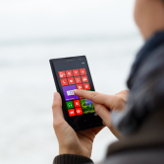
2016May4_MicrosoftWindowsNewsAndTips_BApps. We need them for entertainment, organization and for work. In the 21st century, more businesses need more apps to stay ahead of the competition. And as iOS and Android phones continue to dominate the market with popular apps, the lack of services available for Windows phones put Microsoft in a tough spot. Here is a quick rundown of the problem facing Windows smartphones today and what they’re planning to do to fix it.

The problem

Since its release, Windows 10 Mobile has not been getting as much traction as Microsoft had hoped. One of the biggest factors to this is due to Windows 10 Mobile struggling to get popular apps like Instagram or Snapchat onto their platform. This would mean that customers would have to settle for third-party services that were usually quite obscure, and had a higher chance of shutting down since developers cannot maintain the app running for long without proper funding.

Furthermore, because of such a small market for Windows 10 phones, fewer apps were being developed. No app creator was going to spend time making an app for a platform that is constantly overshadowed by iOS or Android devices. The only thing the Windows 10 Mobile had going for it was its lower price point, but with barely any apps to make the entire device worthwhile, customers were going elsewhere for more popular alternatives.

The solutions

So, clearly, Microsoft needed to reevaluate their strategy to get people’s heads turning back to their devices. In pursuit of a larger user base for Windows phones, here are some of the features that Microsoft are planning to deploy:
  • Cross compatibility apps: In order to get on the same playing field, Microsoft has been trying to make apps that were only available on iOS and Android compatible with Windows devices.
  • Universal Windows Platform: Microsoft’s best solution for a lack of apps on the Windows 10 Mobile is to allow apps to run in several platforms. This means apps that were initially developed for PC, Xbox and Internet of Things (IoT) powered devices can also run on your phone. Instead of getting limited services from one device, you have access to all the apps available for any Windows 10 product.

Will this work?

We’re still uncertain if these strategies will make you want to run out to the nearest store and pick up the newest Windows Phone model, but it seems promising. Companies like Apple and Google have not been successful in unifying their apps for different devices. However, Microsoft’s large PC customer base and available apps can hopefully change that. It also gives Windows phones a unique selling point, other than their competitive pricing, which is sure to attract some customers.

These days, users are working with more than one device at any given time and as we begin to lose track of all the apps installed on our devices, a unified app platform can be just what we need for the future. So do you think you’ll be picking up a Windows phone anytime soon?

Want to stay up to date with the latest developments from Microsoft? Contact us today.

Published with permission from TechAdvisory.org. Source.

Read More

When it comes to marketing, it can be tough to determine the most effective strategies. There are so many different ways you can try to lure customers to your brand: a free ebook, email marketing and press releases are few strategies often used. But how do you know what’s most effective? It all comes down […]

2016May3_BusinessIntelligence_BWhen it comes to marketing, it can be tough to determine the most effective strategies. There are so many different ways you can try to lure customers to your brand: a free ebook, email marketing and press releases are few strategies often used. But how do you know what’s most effective? It all comes down to looking at data to see what works best. We’ve done some legwork for you to show how this old school marketing tactic is still influencing customers as much today as it did decades ago.

What is one thing every consumer has in common? They all love to save money. This is why the marketing technique of offering coupons is still as effective today as it was decades ago. Shocked? Don’t believe this is true? Well, let’s explore some statistics.

A recent report by Valassis, a large marketing firm that serves clients across the globe, provided some enlightening information on the effectiveness of coupons. Here’s what they discovered in terms of how coupons influence consumers.

  • 82% of all consumers are more likely to buy from a brand they wouldn’t normally because of a coupon
  • 85% are influenced to try a new product because of a coupon
  • 84% are more likely to switch brands because of the weekly specials on offer
  • 24% choose to shop at another brand’s store over their preferred because of better advertised bargains
This same report also uncovers some interesting data about brand loyalists, revealing that 78% are more likely to buy from a brand they wouldn’t normally patronize, due to a coupon. While this number is surprising close to the amount of total consumers influenced by coupons (as mentioned in the first bullet point above) this next bit of data may come as more of a surprise: 43% of brand loyalists have a more positive view of a company that offers coupons over those who don’t.

While this recent report goes a long way to revealing the benefits of coupons, how do they compare to another common marketing offer used today: free information products?

The appeal of coupons over information products

According to one marketing firm based in Waterford, Connecticut, a coupon was chosen 9 out of 10 times over an ebook when offered simultaneously. This raises an interesting question: why would a coupon be more effective than a free ebook or other information product? Let’s look at some common psychology triggers at play here.

Broad appeal - simply put, coupons have mass appeal. While information products are likely to be seen as more valuable to those with a higher education, a coupon can appeal to all income brackets - from the very wealthy to the very poor.

Instant value - to gain results from an information product requires a time investment and action. For example, if a customer receives a free 30 page ebook that explains how to get the best discounts on electronic equipment, he or she needs to read the book and then take action (and possibly create a plan) to gain the rewards of that time investment. Many consumers would rather spend their time doing something else, but a coupon on the other hand offers immediate value. Simply hand it over to the service provider, and you save money instantly. What’s not to love about that?

Uniqueness - the online marketplace is flooded with free information products. While they’re still an effective tool to gain a prospect’s email address, far fewer businesses offer coupons on their website, especially in the small business sector. By offering a coupon, you provide a free offer that immediately separates you from the pack.

The point here is that just because a marketing tool is popular doesn't mean it’s the most effective. This is why we encourage you to review data and statistics before implementing any marketing technique in your business. It can save you a whole lot of time and also make your business stand out.

Want more valuable business information that can help you connect better with your customers? Curious to learn how IT can help collect data more easily? Call us today to find out more.

Published with permission from TechAdvisory.org. Source.

Read More

There are a lot of web-based email platforms in the marketplace. Many come and go, but there’s a reason Gmail has crossed the 1 billion monthly active user milestone and is still standing strong as one of the world’s most popular web-based email clients. It’s extremely easy to use and is always up-to-date and secure, […]

2016May_Google_BThere are a lot of web-based email platforms in the marketplace. Many come and go, but there’s a reason Gmail has crossed the 1 billion monthly active user milestone and is still standing strong as one of the world’s most popular web-based email clients. It’s extremely easy to use and is always up-to-date and secure, courtesy of Google. But if you’re just using Gmail for sending and receiving emails, you’re really missing out on some of its nifty features that allow you to manage your email more effectively. Here are some tips to make the most of Gmail.

Unsend emails

Ever had that moment when you’re in a hurry to type up an email and send it off only to notice a few seconds later there were a couple of mistakes? Maybe you’ve forgotten to attach a file or misspelled a word. Heck, you may have even sent it to the wrong recipient! Don’t worry, we’ve all been there. This is the moment where Gmail’s ‘Undo Send’ feature will become your new best friend. You can activate this by clicking on the gear icon on the top right hand corner of Gmail, then go to Settings. Scroll down to Undo Send and hit the Enable box. Now you have up to 30 seconds to click the ‘Undo’ button that will pop up once your email’s been sent.

Create to-do lists

Gmail provides an easy way to create a task list that you can use to keep track of all the things you have to do in a minimizable window. This way you won’t have to send yourself an email and clutter your inbox every time you need to remind yourself to do something. Adding a to-do list is easy; simply click the Mail menu in the upper left corner of the Gmail window and choose Tasks. A small window will appear in the bottom right corner of the page, and here you can type in your tasks and check the boxes once you’ve completed each of them.

Prioritize emails

Some emails are too important to be buried in a crowded inbox. This is where you can use Gmail’s Star feature to your advantage. Adding stars is a way to single out emails that need to be read later or require a follow-up. You might already know that clicking the yellow star beside the email will highlight the line and makes the message easier to find. But there’s a way to take things up a notch. Navigate to Settings and scroll down to the Stars section. Here you can drag the stars from the ‘Not in use’ row up to the ‘In use’ row to make them active. Once you’re done, hit Save. You could use the blue star for emails that need a follow-up, red for problems, question mark for the ones that require clarification and so on.

Use canned responses

Have you ever had to answer the same questions sent by clients over and over again? Well you’re in luck. Gmail has a productive hack that allows you to create and send off repetitive messages in just a few clicks. Activate it by heading over to Settings, Labs and click the Enable button in the Canned Responses tab. Now type up a response email. Click the arrow in the lower right corner of the message box and select Canned responses. You can add common phrases, sentences or email bodies that you find yourself using a lot, whether for marketing inquiries, sales pitches or client requests.

With these Gmail features you can save time, get more things done and become more productive. If you want to learn more about Gmail or any other Google apps, please get in touch with us today.

Published with permission from TechAdvisory.org. Source.

Read More

It’s the middle of the month and you’re waiting to meet a colleague outside a restaurant. As you wait, you idly browse the web and check emails, and then suddenly you’re hit with the notification you dread most. Your Android phone’s data is almost out. Questions race through your mind...how will I make it through […]

2016Apr29_AndroidPhone_BIt’s the middle of the month and you’re waiting to meet a colleague outside a restaurant. As you wait, you idly browse the web and check emails, and then suddenly you’re hit with the notification you dread most. Your Android phone’s data is almost out. Questions race through your mind...how will I make it through the last couple of weeks with limited data? Should I buy more? Should I just suck it up and use the slower connection once it’s gone? Let’s face it, these are all questions you want to avoid. And here’s how you can do just that with some tips to save data on your Android phone.

Data Saver for Chrome

We all know surfing the web sucks up data. But did you know there’s a way to reduce the amount of it used while riding the Internet waves? Google Chrome enables you to do just that by compressing Chrome pages, reducing data use by 30-35%. To activate this feature, press the three dots on your Chrome browser > Settings > Data Saver. Switch it on here, and start saving data now.

Video Compression on Opera

Google Chrome isn’t the only browser with a compressing feature that saves data. The Opera mini browser also compresses data, but with video instead. Of course, if you’re trying to save data it’s a good idea to avoid streaming video while not connected to Wi-Fi, but if you must do so, follow these steps on your Opera mini browser to load videos faster while saving data: go to Settings > Data Savings and tick the video compression box.

Eighty-six Facebook and other data-draining apps

This extremely bloated app has caused multiple problems for Android users. Not only has it been linked to causing Android phone slowdown, but it also consumes a ton of data. A few alternative ways to access Facebook sans the application are to use the web app Tinfoil or via your Google Chrome web browser.

And while we’re on the subject of applications, consider deleting other apps that consume high amounts of data. Of course you likely have dozens of apps on your phone, so how do you know what’s consuming the most? Simply go to Settings > Data usage. From here you can see what apps are consuming the most data and delete them if you so choose.

Restrict background data

If there ever was a nemesis to data usage, it would be background data. This pesky feature of Android consumes data when you’re not browsing the web or using an app. To prevent this from happening, click Settings > Data Usage > Restrict Background Data.

Mind your auto-updates

Just because a new version of an app is available doesn’t mean you should update it right now. Doing so when not connected to Wi-Fi eats up a lot of data, which is why it’s important to turn off auto-updates because when switched on your apps will update automatically regardless of whether you’re connected to a Wi-Fi signal or simply using data. So set your Android to only update in the presence of Wi-Fi by going to Google Play Store > Settings > Auto Update Apps > Auto-update Apps over Wi-Fi Only.

Hold-off on streaming music

We know you love streaming music on YouTube, Spotify, and similar sites but, let’s be honest, this is killing your data. There’s nothing wrong with streaming music from these sites in and of itself, simply wait till you can connect to Wi-Fi to do so. In the meantime, listen to music you have stored on your phone to get your tunes in.

Take your apps offline

Many apps provide an option to access them offline without consuming any data. Google Docs is a prime example. You can choose which documents you’d like to access while not connected to the Internet. Make it a habit to check which of your apps have offline access options and enable that setting whenever possible.

Saving data on your Android device is not rocket science. Most of the time you simply need to be a bit more conscious of your online activities, and you can save a tremendous amount of data in the process. Hopefully these tips will help you do just that. If you’d like to learn how else you can improve your Android devices, get in touch with our experts now.

Published with permission from TechAdvisory.org. Source.

Read More