508-909-5961 [email protected]

Whether we’re using a laptop, a mobile phone or a tablet, communication has never been easier. Thanks to increasingly stable and fast internet connections, Voice over IP (VoIP) services have replaced phone calls as a cheap and accessible alternative. This has caught the attention of many business owners and some have even adopted these VoIP […]
2016Mar9_VoIPGeneral_BWhether we’re using a laptop, a mobile phone or a tablet, communication has never been easier. Thanks to increasingly stable and fast internet connections, Voice over IP (VoIP) services have replaced phone calls as a cheap and accessible alternative. This has caught the attention of many business owners and some have even adopted these VoIP solutions for their business. So when it comes to your company, you may be flirting with the idea of VoIP as well. If so, here are some things to consider before purchasing a particular service.

Flexibility or ease-of-use?

Choosing between a hosted or managed VoIP setup depends on the type of service your company is willing to pay for. Would you prefer flexibility or accessibility?

Managed VoIP means that your company is in charge of managing and maintaining the on-site system. While initial costs are generally greater due to hardware and maintenance fees, when it comes to managing your own telecommunications network, a managed VoIP system provides your business with more versatility and control.

On the other hand, with hosted VoIP systems, you leave the cost of new hardware and the maintenance of the telecommunications network entirely to a third party. This also frees your company from the burden of having to monitor and update your own telecommunication technologies. For many small businesses a hosted VoIP option is the more attractive choice as you only pay for the services you use from your hosted service provider, and these initial fees tend to be lower than the alternative.

Do you want to be more technically involved?

Deciding between a managed VoIP system and a hosted one depends on how much you are willing to be involved in the management and maintenance of your VoIP setup. Generally, many companies with limited IT knowledge tend to take the hosted VoIP option while those who have more resources to customize their own telecommunications network are more willing to go with an on-site VoIP setup.

Have you considered mobile VoIP systems?

With VoIP systems, telephony is no longer bound to a specific phone network. Modern employees now have a multitude of communication tools to choose from all while accessing them anytime and anywhere. Choosing VoIP systems that offer mobile integration can provide your workers with the ability to access video conference calls and answer direct calls even when they are not in the office.

Does your business intend to expand?

When choosing the right VoIP system, you have to make sure that the service provider can complement your company’s plans for growth. With so many mobile devices being made, selecting a VoIP service that is compatible with the latest technologies can keep you ahead of the game.

Cloud-based solutions can help ease your expansion plans because these services will constantly update your telecommunications network for you. This means you never have to worry about your technology falling behind in functionality.

Check your internet connection

Regardless of which VoIP provider you choose, it is important to note that a strong and stable internet connection is necessary in order to support your communications network.

Before purchasing from a specific VoIP provider, you should find out if your company requires a dedicated broadband or leased lines. While leased lines provide voice quality, opting for dedicated broadband services offer higher internet speeds.

How much does it cost?

An important point to consider for your business is how much you are willing to pay for a specific VoIP system. Firstly, check how much the hardware and installation of the service costs. Then look at how much a provider will charge for managing, updating and maintaining your telecommunications system.

Finally, make sure that a VoIP provider’s services meet your company’s communication needs. If the VoIP provider is offering a bundle of services that your company might not even require, then it might be in your best interest to choose a different provider that charges more affordable rates.

While picking and deploying VoIP systems can seem like a daunting task, they have become vital tools for any good business to function. If you are planning to install a new VoIP system, consider some or all these factors to ensure you’ve made the right decision. And of course, if you’re looking for a provider, our experts are happy to help in any way possible.

Published with permission from TechAdvisory.org. Source.

Read More

Setting up an IT infrastructure for a small business can be an intimidating and costly venture. Fortunately, cloud computing has given companies affordable and flexible solutions to deal with rapidly advancing technological demands. However, for the small business owner, there are still many common misunderstandings about using cloud services. Here are a few ways some […]

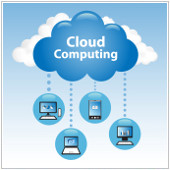
2016Mar8_Web&Cloud_BSetting up an IT infrastructure for a small business can be an intimidating and costly venture. Fortunately, cloud computing has given companies affordable and flexible solutions to deal with rapidly advancing technological demands. However, for the small business owner, there are still many common misunderstandings about using cloud services. Here are a few ways some businesses may misconceive the nature of the cloud.

Cloud infrastructures are unsecure

Security is a necessity for online users. And the most prevalent misconception about the cloud is the idea that cloud services lack appropriate security measures to keep data safe from intruders. Most users also think that the data stored in the cloud can be easily accessed by anyone, anywhere and at anytime.

But the truth is it’s actually a good idea for small businesses to use cloud services. Small companies usually can’t afford to hire an IT department let alone train them to deal with online security threats. Cloud providers, on the other hand, offer services such as layered security and antivirus protection that not only specialize in keeping infrastructures safe from hackers but are available at a price that is much lower than you would pay for in-house IT staff.

Additionally, large cloud-based services such as Google Apps for Work and Office 365 are supported by an infrastructure that constantly installs, updates and patches, which helps manage security breaches. This significantly frees you from the burden of having to install the updates yourself and managing the overall security of your system.

Users should understand that no company is completely safe from security threats regardless of their IT infrastructure. But data is likely to be more secure in the hands of cloud providers as they are the most prepared and qualified to protect your digital property.

Encryption

There is a misunderstanding about the role of encryption or rather how it is implemented to keep your data safe. Encryption is usually used for data in transition, where data is protected from anyone seeing it as it travels from one location to another on the Internet. But encryption can also be applied to data at rest, where data is encrypted on a storage drive.

While cloud service providers already keep their physical storage drive well protected, some keep the decryption key held in software, potentially leaving the key vulnerable to intruders. If hackers were to successfully obtain the decryption key, they can simply access your encrypted data. That’s why some cloud storage services are much better than others in terms of keeping your data protected.

With this in mind, you should understand that while every cloud service highlights their data security by demonstrating their encryption abilities, it does not necessarily mean that a cloud-based service that markets itself as such is right for you. When it comes to choosing the right cloud service, it is best to inform yourself about the security measures that a cloud infrastructure implements and look at how it can protect your company’s digital property.

With the cloud you are no longer responsible for data security

While cloud security is important, the responsibility for protecting data ultimately rests on the user. Misplacing mobile devices can leave your data vulnerable and make the cloud infrastructure insecure. It is also recommended to have verification mechanisms in place for devices that are used to access the cloud.

Losing USBs or external hard drives obviously leads to direct data loss and can be easily remedied by backing up your files. This applies to files stored in the cloud as well. So be smart, and backup your files because it’s better to be safe than sorry.

The cloud is never faulty

Like many online services, cloud-based services are not immune to technical difficulties. For example, some cloud businesses have suffered outages and server failures which corrupted files and may have lost data in the process.

Hacking is another reason why some cloud services fail. Using a less than optimal cloud service that is vulnerable to attacks can lead to stolen or deleted data, which would be near impossible to recover if you did not have any offline backups.

Regardless of these flaws, however, it is vital to note that using the cloud as your only source of data storage and processing can lead to problems in the future. Keeping backups of your files is always a good idea.

Security is truly one of the biggest barriers to the adoption of cloud computing in a small business. But as cloud services expand and encryption technologies advance, cloud adoption is increasingly becoming the most cost-effective solution to meet the small business owner’s IT demands. Contact us today to learn how your business can take advantage of all the cloud has to offer.

Published with permission from TechAdvisory.org. Source.

Read More

We may expect to find computers everywhere these days, from our offices, schools and airports to our pockets and wrists, but until now there's not been much call for computers in our hospital operating rooms. But new technology is making waves in healthcare circles and could even save lives by helping surgeons and physicians make […]

2015Feb23_HealthcareGeneral_AWe may expect to find computers everywhere these days, from our offices, schools and airports to our pockets and wrists, but until now there's not been much call for computers in our hospital operating rooms. But new technology is making waves in healthcare circles and could even save lives by helping surgeons and physicians make life and death decisions. This is why investors and governments are looking into this area as way of improving healthcare and patient outcomes. So let's take a look at some of this miraculous medical teach.

Enhanced diagnosis and treatment

IBM supercomputer, Dr. Watson, was specifically developed to help doctors make more accurate diagnoses while also recommending treatments and procedures. In the future, it is hoped that physicians will be able to rely on Watson to keep track of patient history, keep up-to-date with the latest medical research and analyze potential treatment options.

How Watson does this is by analyzing unstructured data, which includes news articles, research reports and even social media posts. Once asked a question, it evaluates all possible meanings to determine what its being asked. Lastly it’ll find supporting evidence and compare quality of information before presenting the best answers and solutions which the doctors can then decide to act on or not.

Breaking the language barrier

Omnifluent Health is a translation program developed by the Science Applications International Corporation (SAIC) that helps patients communicate with doctors and others in the medical field. For example, a doctor could speak into the app - ask if the patient has any allergies - and the Omnifluent translates the doctor’s words into another language.

In the US alone there are 47 million residents that can’t speak English fluently. The Omnifluent reduces the need for translators and helps quicken relay of important information, which allows more time for accurate diagnoses and treatment.

Social networking for doctors

In 2011, U.S. News, The American Society for Clinical Investigation along with other distinguished partners in the field have joined forces to create a physician-only social network dubbed Doximity. Its premise it that it can link doctors, allowing them to work together and share expertize so as to take greater care of their patients. Currently, the roster boasts over 700,000 searchable physicians available for case collaboration via instant messaging.

One call away

To save patients from a potential trip to the ER, Sherpaa is a New York-based telehealth provider offering medical consultations online and over the phone. Patients can use Sherpaa to contact the city’s top medical specialists, capable of not only treating sore throats and hay fever but also help treat an array of acute and chronic illnesses. This development could possibly signal the beginning of healthcare (literally) being at your fingertips.

Health on-the-go

To keep up with the 21st century’s fast-moving pace, a growing number of mobile apps and gadgets have been developed to help people stay active, sleep better and eat healthy. Examples include the Fitbit pedometer that tracks sleep and daily activity, and utilizes social networking to motivate users.

Lark is a silent alarm clock and is in charge of monitoring and analyzing your sleep activity. It goes a step further by offering suggestions on how to boost the snooze. If you are diet-conscious, numerous calorie-counting, food-monitoring and menu-tracking apps are also at your disposal.

These are just five of current healthcare IT developments and many of more to come. Want to find out more on how technology is improving healthcare? Looking for some more apps? Give us a call us today, we’re sure we can help.

Published with permission from TechAdvisory.org. Source.

Read More

Geek speak, tech talk, jargon or whatever you want to call it, computer terminology can be confusing. However, having a basic understanding of some of the words may be beneficial to the non-IT professional. Speaking a basic level of this language can help you clearly explain a computer problem you’re having, and even help you […]

2015Mar2_Hardware_BGeek speak, tech talk, jargon or whatever you want to call it, computer terminology can be confusing. However, having a basic understanding of some of the words may be beneficial to the non-IT professional. Speaking a basic level of this language can help you clearly explain a computer problem you’re having, and even help you find the perfect technology for your next IT purchase. Here are simplified definitions of some tech terms to help you along.

App - These days when someone hears the word “app”, they usually think of a program for their tablet or smartphone; however, the word “app” actually has a much more broader meaning. Apps, which is short for applications, have been around since the birth of computers, and the word really refers to any type of computer program. Some examples of common apps used today include Microsoft Word, Adobe Photoshop, and Symantec Antivirus.

Browser - Your window to the Internet, a browser enables you to access all the information there is online. In fact, the Internet is virtually inaccessible without the use of a browser, and you’re likely reading this article on a browser right now. Google Chrome, FireFox, and Microsoft Edge are a few examples of common browsers.

Search Engine - Not to be confused with a browser, a Search Engine is a page you visit within your browser that allows you to search and find what you’re looking for on the web. You type keywords or phrases into a Search Engine, press enter, and then the web pages and files that contain those phrases and keywords are presented to you. Google, Bing and Yahoo! are a few of the Search Engines available.

Hard drive - A hard drive is essentially a storage unit for everything on your computer. Everything from your operating system to applications, such as Excel and PowerPoint, are stored on your hard drive, and it allows your computer to access these files and programs for your use. The more hard drive space you have, the more applications, videos, documents and various files can be stored on your computer.

Motherboard - If your computer had a heart, the motherboard would be it. The motherboard is a circuit board that powers your RAM, CPU and hardware, enabling it all to communicate with each other. If the motherboard is taken out of the equation, your computer will be unable to operate.

CPU/Processor - If the motherboard is the heart of the computer, then the CPU, or Central Processing Unit, is the brains. A CPU carries out the instructions it receives from the different hardware and software operating on the computer. At one point or another, everything on your computer goes through the CPU. And the more powerful it is, the faster it will be able to operate and the more advanced applications you’ll be able to run.

RAM - Random Access Memory stores all the temporary programs and data that your computer is currently using so they can quickly be accessed by your computer’s CPU. For example, if you are running Microsoft Word, Google Chrome, Adobe Reader, and Skype all at the same time, RAM enables you to access them fast - without having to reopen them every time. The more RAM you have the quicker these programs will run. Once your computer shuts down, it will no longer store these programs in the RAM, but instead in the hard drive.

These are just a handful of terms a layperson may come across when asking for technology service or talking about computers. If you’d like to learn more about the tech talk that is native to us IT professionals, or have any concerns with your current IT, don’t hesitate to get in touch.

Published with permission from TechAdvisory.org. Source.

Read More