
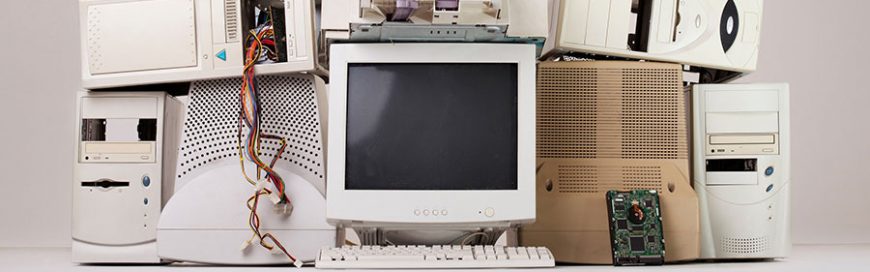
 Hardware management may seem daunting to many, due to the constant changes and developments in the world of tech. But computer upkeep is simpler than it seems. Make hardware management a breeze by following these pointers. ✓ Clean your computer components Wipe down monitors with a clean, static-free, non-abrasive fabric such as computer component-specific microfiber […]
The post Make your hardware last longer with these tips appeared first on Complete Technology Resources, Inc..
Hardware management may seem daunting to many, due to the constant changes and developments in the world of tech. But computer upkeep is simpler than it seems. Make hardware management a breeze by following these pointers. ✓ Clean your computer components Wipe down monitors with a clean, static-free, non-abrasive fabric such as computer component-specific microfiber […]Hardware management may seem daunting to many, due to the constant changes and developments in the world of tech. But computer upkeep is simpler than it seems. Make hardware management a breeze by following these pointers.
✓ Clean your computer components
Wipe down monitors with a clean, static-free, non-abrasive fabric such as computer component-specific microfiber cloth. You can use the same type of cloth to wipe down mice and other peripherals, but for those tight nooks and crannies such as your keyboard surfaces, a can of compressed air will do the job.
Regular wipedowns are good because dust buildup can block computer air vents and affect their performance. Also ensure that your workstations are getting adequate ventilation and don’t get direct exposure to sunlight and other heat sources.
✓ Manage your cables
If you’re not giving your computers’ cables the attention they deserve, now’s a good time to do so. Aside from wiping the thick coat of dust off of computer cables, consider using cable management solutions that unclutter and untangle messy wires. Cable organizers don’t just organize and secure your cables, they also help ensure your PCs run quieter and are less prone to overheating as a result of blocked air vents.
Planning to relocate or upgrade in the near future? Organizing your computers’ cables now will make future relocation and upgrading processes much easier.
✓ Review and update your inventory
Keeping stock of all your hardware helps you manage hardware life cycles and purchases, identify items that are near their end of life, and ensure you avoid duplicate purchases of items already in stock.
Your inventory list should include all owned and leased devices: PCs and laptops, printers and scanners, tablets and smartphones, and modems and other network hardware. Update all your assets’ serial numbers and keep track of their respective users and location.
✓ Maintain your printers
Clean the interiors and exteriors of your printers, including paper trays, which are sure to have accumulated dirt from years of use. You should also repair and/or replace parts and accessories such as print heads and cartridges that are no longer in good condition. Should you decide to do a complete printer maintenance, check for the latest software updates for your printers and install them immediately.
✓ Implement a hardware policy
This is also a good time to create a technology guideline that your employees can follow to ensure they work efficiently. These guidelines reduce the need to spend on unnecessary repairs, keeping the succeeding year’s checklist shorter. With clear instructions on the proper use, replacement, and storage of your hardware and devices, you’ll be better able to manage your hardware for years to come.
With a more organized IT hardware inventory, you have one less thing to worry about. Want to get more in-depth hardware management advice? Call our experts today.
The post Make your hardware last longer with these tips appeared first on Complete Technology Resources, Inc..
 Your company’s servers will eventually need to be replaced. To conserve and maximize your resources, you need to anticipate the best time to do this, as well as consider alternatives that offer the same — if not better — outcomes for your business. When do my servers need to be replaced? This is a difficult […]
 Just like a new smartphone or car, new keyboard models can also garner “oohs” and “ahhs” from people. But novelty fades, and you may end up asking this question: What is the best one for me? Whether your keyboard is used for business or leisure, a great model will make a difference. When it’s time […]
 You may think that your printing expenses aren’t a major concern, but mismanaging these may result in a bloated IT budget that’s composed mostly of hardware, supply purchases, and equipment maintenance costs. These five tips will help your business save money on printing expenses. Replace outdated printers Your years-old printer may still be getting the […]